
AI Assistant for Customer Success
Integrate Salesforce with your enterprise applications using AppEQ
Empower Your Team with Smarter Data Driven Decisions on Salesforce
Request a Demo
Organizations often store key revenue details and account information in Salesforce, but gaining a full understanding of account health requires integrating data from multiple systems like product analytics tools (e.g., Mixpanel), customer feedback tools (e.g., SurveyMonkey), and helpdesk systems (e.g., Zendesk). AppEQ seamlessly connects Salesforce with these systems, providing your teams with real-time, contextual data alongside revenue insights. This empowers a data-driven approach to managing customer success, driving retention, and identifying upsell opportunities.
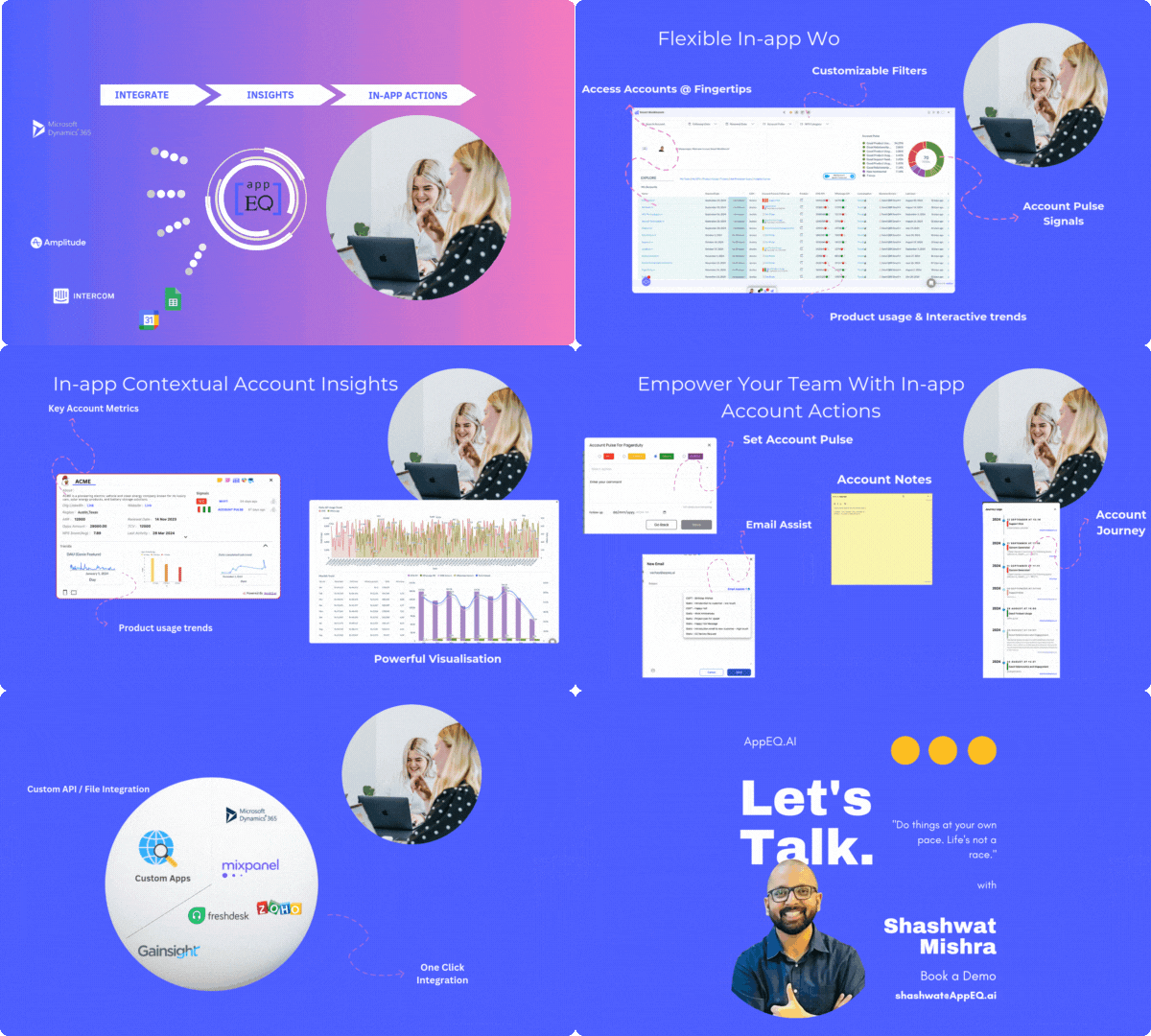
Seamlessly Integrate Product Analytics with Salesforce
Integrating Salesforce with product analytics allows businesses to align customer success efforts with product usage data. This enables account managers to track usage metrics directly within Salesforce, providing valuable insights to:
- Gain Visibility into Product Engagement:
- Align Revenue with Product Usage:
- Receive Real-Time Updates:
- Integrate Salesforce Mixpanel with AppEQ
- Integrate Salesforce Commerce Cloud Mixpanel with AppEQ
- Integrate Salesforce Lightning Mixpanel with AppEQ
- Integrate Salesforce Amplitude with AppEQ
- Integrate Salesforce Commerce Cloud Amplitude with AppEQ
- Integrate Salesforce Lightning Amplitude with AppEQ
- Integrate Salesforce Pendo with AppEQ
- Integrate Salesforce Commerce Cloud Pendo with AppEQ
- Integrate Salesforce Lightning Pendo with AppEQ
- Integrate Salesforce Heap with AppEQ
- Integrate Salesforce Commerce Cloud Heap with AppEQ
- Integrate Salesforce Lightning Heap with AppEQ
- Integrate Salesforce Userpilot with AppEQ
- Integrate Salesforce Commerce Cloud Userpilot with AppEQ
- Integrate Salesforce Lightning Userpilot with AppEQ
- Integrate Salesforce Gainsight Px with AppEQ
- Integrate Salesforce Commerce Cloud Gainsight Px with AppEQ
- Visibility into NPS Responses:
- Actionable Customer Requests:
- Opportunity Signals:
- Integrate Salesforce Surveymonkey with AppEQ
- Integrate Salesforce Commerce Cloud Surveymonkey with AppEQ
- Integrate Salesforce Lightning Surveymonkey with AppEQ
- Integrate Salesforce Typeform with AppEQ
- Integrate Salesforce Commerce Cloud Typeform with AppEQ
- Integrate Salesforce Lightning Typeform with AppEQ
- Integrate Salesforce Qualtrics with AppEQ
- Integrate Salesforce Commerce Cloud Qualtrics with AppEQ
- Integrate Salesforce Lightning Qualtrics with AppEQ
- Integrate Salesforce Medallia with AppEQ
- Integrate Salesforce Commerce Cloud Medallia with AppEQ
- Integrate Salesforce Lightning Medallia with AppEQ
- Unified Dashboard:
- Actionable Insights:
- Early Warning and Playbooks Triggers
- Integrate Salesforce Mixpanel with AppEQ
- Integrate Salesforce Commerce Cloud Mixpanel with AppEQ
- Integrate Salesforce Lightning Mixpanel with AppEQ
- Integrate Salesforce Amplitude with AppEQ
- Integrate Salesforce Commerce Cloud Amplitude with AppEQ
Understand how customers interact with your product.
Correlate usage data with account revenue for more strategic decisions.
Monitor product adoption in real time to prevent churn and identify upsell opportunities.
Unlock Actionable Insights by Integrating Customer Surveys with Salesforce
Integrating Salesforce with customer surveys enables businesses to align customer success efforts with real-time feedback and sentiment data. This ensures that account managers can track and plan activities based on customer sentiment, all within Salesforce. This integration provides:
Track customer sentiment at the account level to understand overall satisfaction.
Identify customer needs and requests that can improve their experience and value.
Monitor survey responses for signals that indicate the right time to upsell, cross-sell, or request testimonials.













How AppEQ Connects Salesforce with other enterprise applications
AppEQ seamlessly connects Salesforce with Product Analytics, offering contextual summaries and real-time data syncs across platforms. Here’s how it enhances your workflow:
AppEQ’s Chrome extension displays real-time account statuses from Salesforce alongside product usage data from analytics tools like Mixpanel, all in one place.
Customer Success Reps and Account Executives can quickly identify accounts with low engagement or high product usage, enabling timely interventions and new sales opportunities.
Get alerts for product usage anomalies and other critical metrics, and automatically flag at-risk accounts within Salesforce.
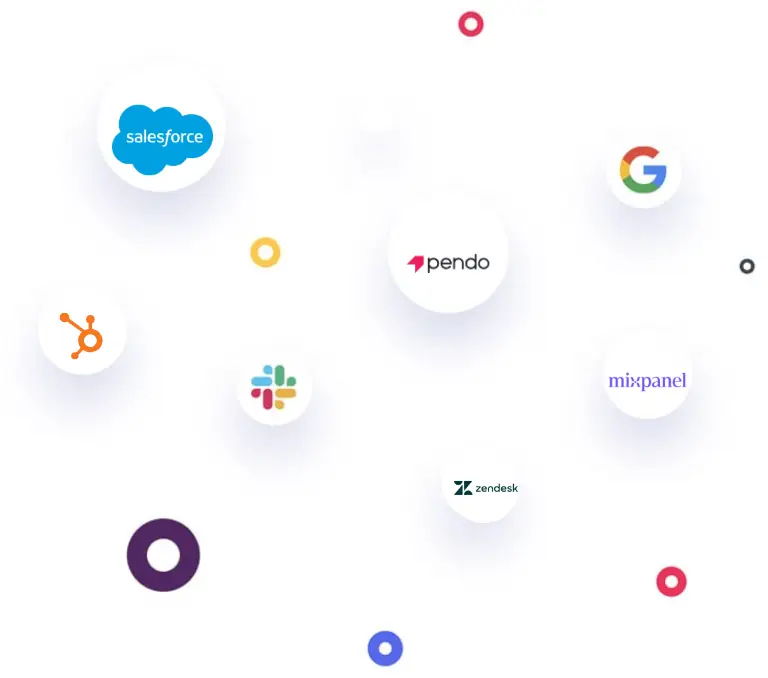
Steps to Enhance Salesforce for Customer Success Teams with AppEQ
01 Connect.
Install the AppEQ Chrome Extension and seamlessly connect it to your Salesforce application, enabling real-time data synchronization.
02 Configure.
Configure your Salesforce business object details (such as accounts, opportunities, customers, revenue and contracts) and AppEQ’s Workbench and configure metrics, alerts and reports to track account pulse and customer engagement.
03 Consume.
Access workspace with real-time customer insights directly within the tools you use every day, like Gmail, Slack, and more. Stay focused and streamline your workflow without the need to switch between different apps to see the data you need.
Key Benefits of
Composable Workbench With Data & Insights From Your SaaS & EnterpriseApplications
Account Health Monitoring
Get a real-time view of Accounts, Opportunities, tickets and more, directly in the apps that you already use using AppEQ Smart Dashboard.
Revenue-Driven Insights:
Align revenue data with product engagement, support tickets or any other metrics for more strategic account management.
Proactive Customer Success:
Use data-driven insights to preempt churn, boost adoption, and unlock cross-sell/upsell opportunities.
Request a Demo
Help Center
Answers to your questions
Get quick answers to common questions about AppEQ’s features, integrations, and benefits.
How secure is the integration between AppEQ and Salesforce ?
AppEQ ensures data privacy and security through encryption. You can visit our trust to learn more about our security measures. https://trust.content.appeq.ai/
Can I customize the data I want to sync between Salesforce and AppEQ?
Yes, you can customize the data fields and metrics you want to sync, ensuring that only relevant data is shared between the platforms.
What kind of metrics can I see in AppEQ Smart Dashboard through this integration?
AppEQ allows you to customise metrics that you want to see on your smart dashboard. It also provides pre-configured templates that you can utilise to quickly view industry standard insights and metrics.
More Integrations to power your team
AppEQ helps to get seamless data and insights @fingertips in your CRM
SurveyMonkey
Get NPS and Customer Survey to understand customer sentiments

Zendesk
Get Helpdesk data to understand open issues and queries from your accounts

Stripe
Understand invoices and payment status easily within the CRM

Google Spreadsheet
Combine Adhoc data with your CRM
Explore More Integrations
Your Ultimate Solution For Revenue Retention and Growth
Request a Demo